Lives in the menu bar
See the countdown, pause the timer, or take a break now without adding Dock clutter.
A quieter rhythm for macOS
一款极简的 Mac 全屏休息提醒软件,到了时间自动覆盖多显示器,帮你定时放下工作、保护视力与健康。
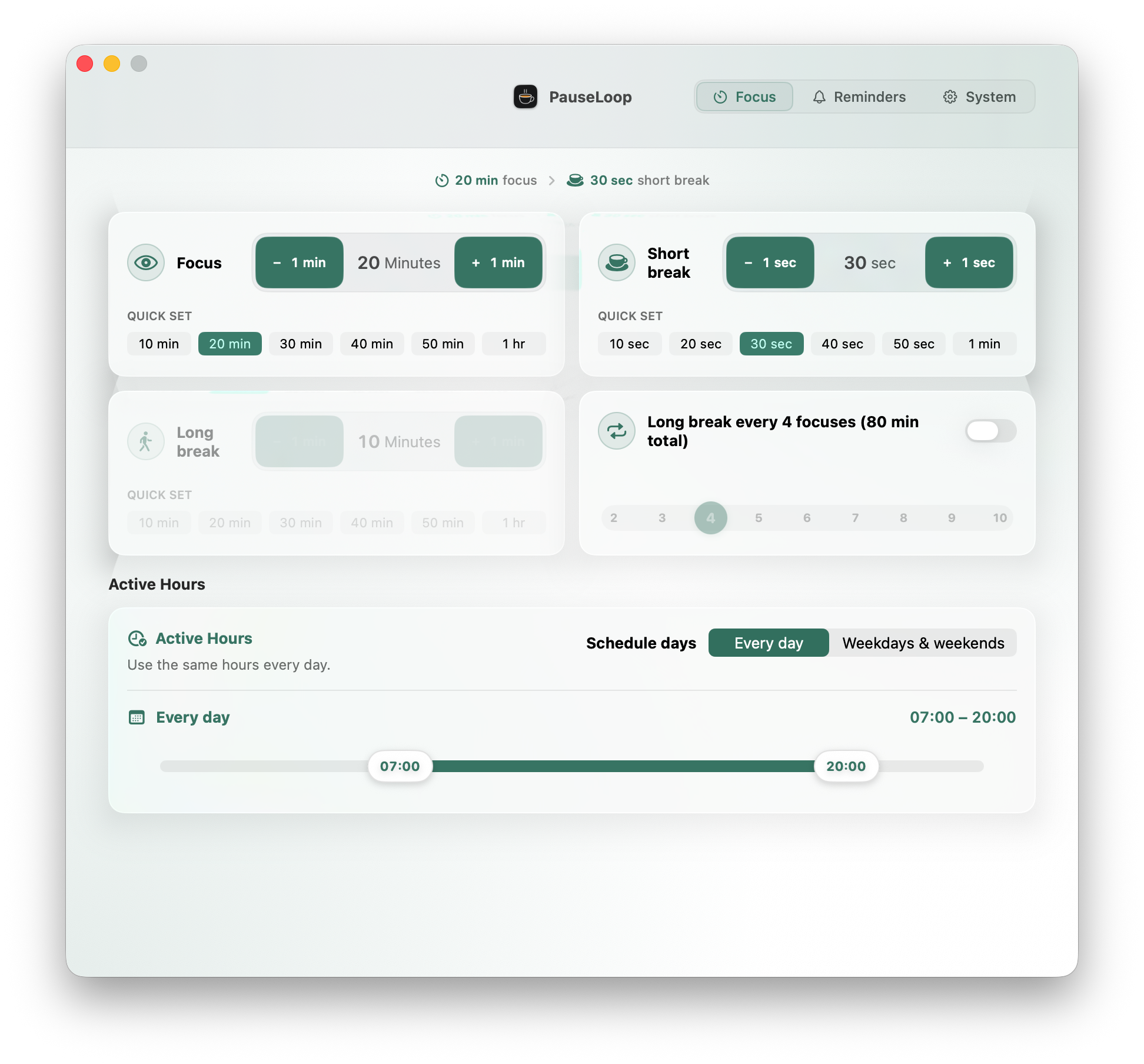
Your day, in intervals
Choose your focus window, keep short breaks light, and let longer rests arrive after a rhythm you define.
Every fourth focus, make room for a deeper reset.
One app. Three quiet controls.
PauseLoop stays in the menu bar and gets out of your way. Adjust the parts that matter, then return to your work.
Shape focus, short breaks, long breaks, and active hours around the way you actually work.
When the break arrives
A calm full-screen pause appears on every connected display. Choose an atmosphere color or your own wallpaper, and return when the countdown is ready.
Made for the background
See the countdown, pause the timer, or take a break now without adding Dock clutter.
Optional idle detection keeps the rhythm honest when you leave your Mac.
Choose and preview separate sounds for the warning, break start, and break end.
Your settings and timing stay on your Mac. There is no account to create.
Prefer command line tools? Install and manage PauseLoop effortlessly with Homebrew Cask.
brew install --cask LanrenwenStudio/apps/pause-loopRun the command above in Terminal. Homebrew will fetch the tap and install PauseLoop.
Update to the latest version anytime by running brew upgrade --cask pause-loop.

Make space between the minutes
Set a healthier rhythm for every session on your Mac.
Available on theMac App Store